Postger
Postger is a social media management platform for teams and agencies to schedule, approve, and publish content across 10+ platforms from one dashboard.
Overview
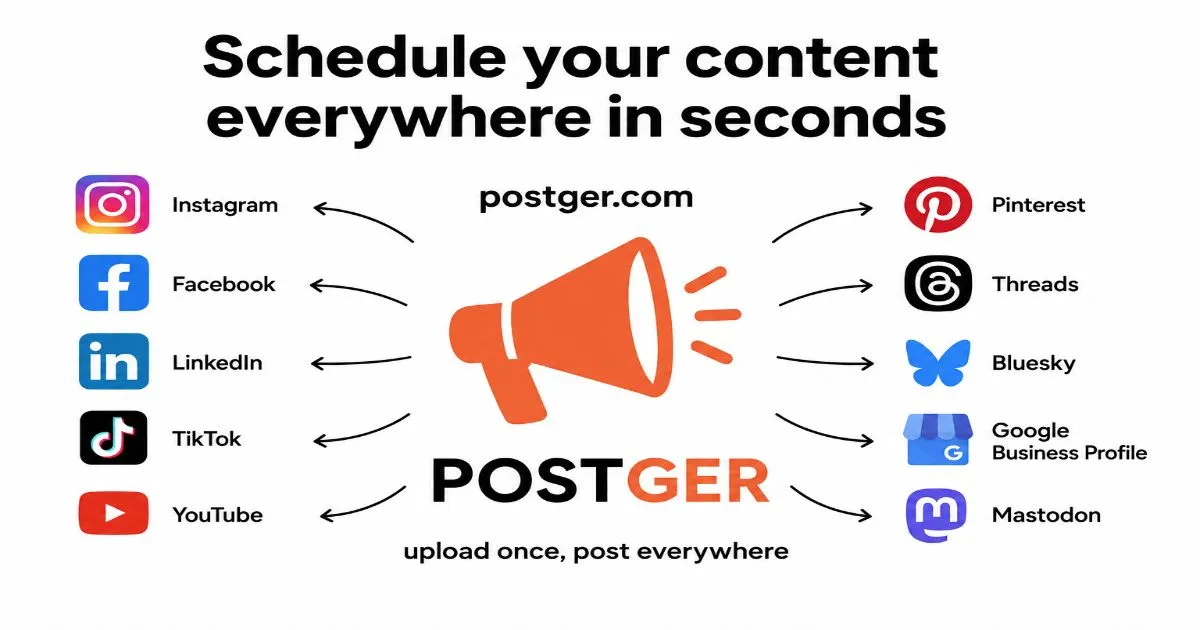
Postger is a social media management platform designed for teams and agencies that need to coordinate content across multiple social networks. Launched as a direct competitor to established tools like Buffer, Hootsuite, and Later, Postger differentiates itself with a flat pricing model that does not charge per user, a visual content calendar with drag-and-drop scheduling, and a built-in approval workflow system. The platform supports over ten social networks including Facebook, Instagram, LinkedIn, TikTok, YouTube, Pinterest, Threads, Bluesky, Mastodon, and Google Business Profile, all connected through direct API integrations rather than third-party aggregators. Postger aims to solve the fragmentation problem that occurs when marketing teams manage separate logins and dashboards for each platform, offering a unified workspace for planning, publishing, and analyzing social media performance.
Key Features
Content Calendar with Drag-and-Drop Scheduling
The visual calendar is the centerpiece of Postger's planning tools. Users can view their posting schedule by day, week, or month and rearrange posts by dragging them to new time slots. The calendar supports recurring time slots through Smart Queues, which automatically fill scheduled openings with content from a queue. This feature is particularly useful for maintaining consistent posting frequency without manual intervention.
Multi-Platform Publishing Composer
Postger provides a single composer interface where users can write a post and customize it for each connected platform. For example, a single campaign can be adapted with platform-specific copy, hashtags, and media attachments. The composer supports carousel posts, multi-image uploads, and previews before publishing. This eliminates the need to log into each social network separately.
Approval Workflows and Client Portal
Agencies can route posts through an approval chain before they go live. Clients receive a magic link to a branded portal where they can review content, leave inline comments, and approve or request changes. No client account is required, which reduces friction for external stakeholders. The approval workflow is integrated with the content calendar, so approved posts automatically move to the scheduled queue.
Unified Inbox for Comments and DMs
Postger aggregates comments, direct messages, and mentions from all connected platforms into a single feed. This inbox allows teams to respond to audience interactions without switching between apps. The Agency plan includes SLA tracking to monitor response times, which is valuable for client reporting.
Analytics and Reporting Dashboard
The analytics module tracks engagement, reach, follower growth, and other key performance indicators across channels. Users can view per-post metrics and channel-level trends. Reports can be exported as PDF or CSV files, making it easy to share performance data with clients or stakeholders. The dashboard includes KPI cards and trend charts for quick visual analysis.
Idea Board with Kanban Workflow
The idea board functions as a kanban-style content planning tool. Teams can brainstorm post ideas, organize them into columns such as "Brainstorm," "Draft," "Review," and "Scheduled," and then convert cards directly into scheduled posts. This bridges the gap between content ideation and execution within a single platform.
AI Intelligence Tools and Agent API
Postger includes AI-powered features such as content scoring, auto-generated captions, and hashtag suggestions. The Agent API allows external tools and AI agents to interact with the platform programmatically, enabling automated content drafting and publishing workflows. This positions Postger as a forward-looking tool for teams experimenting with AI-assisted social media management.
How It Works
New users start by signing up for a 7-day free trial with no credit card required. After creating an account, the onboarding process guides users through connecting their social media profiles. Postger supports direct API connections for each platform, so users authenticate once and grant permission for the platform to publish and read analytics on their behalf.
Once accounts are connected, users land on the content calendar view. From there, they can create a new post by clicking on a time slot or using the composer button. The composer presents a form where users write their message, attach media from the media library or upload new files, and select which platforms to publish to. For each platform, users can customize the copy and media independently.
Posts can be saved as drafts, scheduled for a specific time, or submitted for approval. If the approval workflow is enabled, the post enters a review queue where designated approvers receive a notification. After approval, the post automatically moves to the scheduled state. The calendar provides a visual overview of all scheduled content, and users can make last-minute adjustments by dragging posts to new slots.
Daily use involves checking the unified inbox for incoming comments and messages, reviewing analytics to measure performance, and using the idea board to plan future content. Teams can collaborate through shared workspaces, each with its own set of profiles and permissions. The platform also supports bulk CSV import for migrating content from other tools.
Use Cases
Social Media Agency Managing Multiple Clients
An agency handling 20+ client accounts can use Postger's Agency plan to create separate workspaces for each brand. The client portal allows clients to review and approve content without needing their own login. The unlimited user model means the entire agency team can collaborate without incurring additional costs. The unified inbox helps the agency track all client interactions in one place.
In-House Marketing Team for a Mid-Sized Company
A marketing team of five people managing Facebook, Instagram, LinkedIn, and Twitter accounts can use the Pro plan. The content calendar enables the team to plan a month of posts in advance, while the approval workflow ensures that the marketing manager reviews all content before it goes live. Analytics help the team identify which types of posts drive the most engagement.
Solo Creator or Freelancer
A solo creator who needs to schedule posts across Instagram, TikTok, and YouTube can start with the Starter plan. The drag-and-drop calendar and smart queues help maintain a consistent posting schedule. The media library keeps all assets organized, and basic analytics provide insights into content performance without overwhelming the user with data.
E-commerce Brand with Multiple Product Lines
An e-commerce brand that sells across different categories can use Postger to schedule promotional content for each product line. The multi-platform composer allows the brand to tailor messages for Instagram Stories, Facebook posts, and Pinterest pins from a single workflow. The analytics dashboard helps track which channels drive the most traffic to the online store.
Nonprofit Organization with Limited Resources
A nonprofit with a small team can leverage the flat pricing to add volunteers as team members without extra cost. The approval workflow ensures that all messaging aligns with the organization's guidelines before publishing. The free trial allows the nonprofit to test the platform before committing.
Pricing & Value
Postger offers three pricing tiers: Starter at $19 per month (or $17 per month billed annually), Pro at $29 per month (or $25 per month billed annually), and Agency at $49 per month (or $41 per month billed annually). All plans include a 7-day free trial and a 14-day money-back guarantee. The Starter plan supports 5 profiles, 1 workspace, and 1 user. The Pro plan supports 15 profiles, 3 workspaces, and 3 users. The Agency plan removes all limits on profiles, workspaces, and users, and adds advanced features like the unified inbox, approval workflows, client portal, custom roles, AI tools, and priority support.
The standout value proposition is the Agency plan's unlimited users and workspaces at a flat monthly rate. Competitors like Hootsuite and Sprout Social charge per user, which can become expensive for larger teams. Postger's pricing is transparent and predictable, making it attractive for agencies and growing teams. The annual billing option offers a 20% discount, effectively giving two months free on the Pro and Agency plans.
Final Verdict
Postger is a well-rounded social media management tool that addresses the core needs of teams and agencies: scheduling, approval workflows, and cross-platform analytics. Its flat pricing model is a genuine differentiator in a market where per-seat fees are the norm. The visual calendar and multi-platform composer are polished and intuitive, while the approval workflow and client portal add significant value for agency use cases.
Areas for improvement include the lack of a mobile app, which limits on-the-go management, and the absence of advanced social listening features that some competitors offer. Additionally, the Starter plan's single-user limit may feel restrictive for solo creators who want to collaborate with freelancers.
Overall, Postger is best suited for small to mid-sized teams and agencies that prioritize collaboration, approval processes, and predictable pricing. Larger enterprises with complex compliance requirements may need more robust role management and audit trails. For most teams, however, Postger delivers a solid balance of features and affordability.
For more details, check out their pricing page or explore the features overview. To see how it compares to other tools, visit the about page.
Pros & Cons
The Good
- Flat pricing with unlimited users on the Agency plan eliminates per-seat cost concerns for growing teams.
- Direct API integrations with 10+ platforms provide full feature support including comments and DMs, unlike aggregator-based tools.
- Built-in approval workflows and client portal streamline content review for agencies without requiring client accounts.
- Visual content calendar with drag-and-drop scheduling and smart queues enables efficient long-term planning.
- Unified inbox aggregates comments and messages from all platforms, reducing context switching for social media managers.
The Bad
- No mobile app is available, limiting the ability to manage and publish content on the go.
- Advanced social listening and competitive analysis features are absent, which may be a dealbreaker for enterprise users.
- The Starter plan restricts to a single user, making it less suitable for solo creators who occasionally collaborate.