BadgeFlow
Generate PDF name badges for your event from Excel or CSV with BadgeFlow's free, no-signup badge generator.
Overview
BadgeFlow is a web-based tool that generates print-ready PDF name badges for events from Excel, Google Sheets, or CSV files. It solves the tedious problem of designing and printing personalized badges for conferences, trade shows, corporate events, and more. Built for event organizers, HR teams, and anyone who needs to produce badges quickly without design skills, BadgeFlow offers 30+ templates, full customization, QR codes, and support for any badge or paper size. The platform is free during beta and requires no sign-up, making it one of the most accessible badge generators available.
Key Features
- 30+ Professional Templates: Choose from a library of over 30 ready-to-use badge templates designed for various event types. Templates cover conferences, corporate events, weddings, and more, providing a fast starting point that can be customized further.
- Full Customization Editor: An intuitive drag-and-drop editor allows users to modify every element of a badge. Colors, fonts, logos, text fields, and layouts can be adjusted to match event branding. The editor supports adding custom fields like job titles, company names, and attendee-specific data.
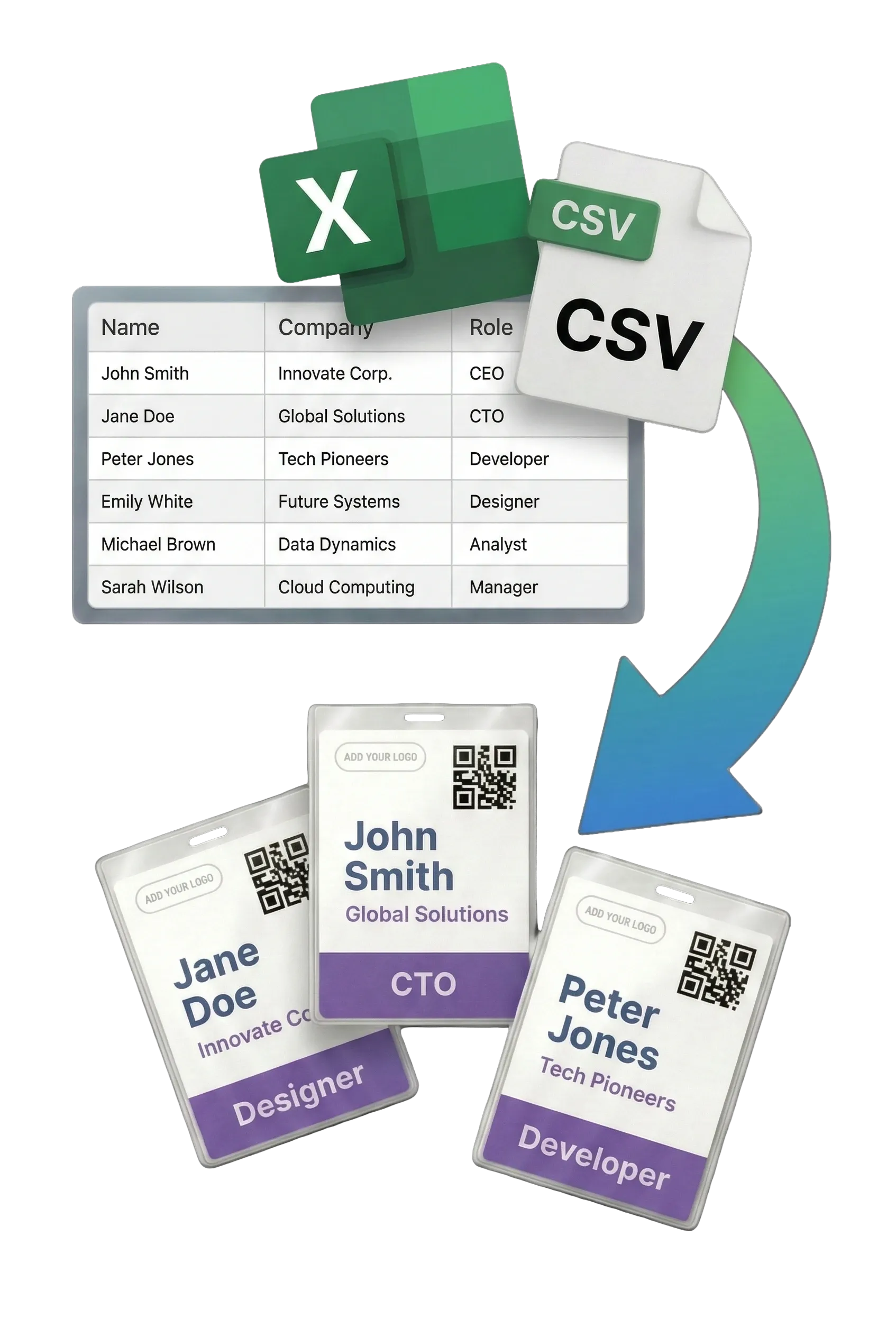
- Variable Data Import: Attendee lists can be imported from Excel (.xlsx, .xls), Google Sheets, or CSV files. The system automatically maps spreadsheet columns to badge fields, enabling bulk generation of personalized badges with names, roles, and other details.
- QR Codes and Barcodes: Badges can include QR codes or barcodes that encode static or attendee-specific data. This feature streamlines event check-ins, lead retrieval, and attendee tracking at conferences and trade shows.
- Any Badge Size and Paper Size: Supports all standard badge dimensions (e.g., 4" x 3", 4" x 6", 3.5" x 2.25") and custom sizes. Badges can be printed on any paper format (A4, Letter, A3, custom) with any printer. The PDF output includes optimal badge arrangement and crop marks.
- On-Site Printing: Badges can be generated and printed on-site for walk-in registrations or last-minute changes. The PDFs work with any office printer, and no internet is required after download.
- No Sign-Up Required: Users can start creating badges immediately without creating an account, providing an email, or installing software. The entire application runs in a browser.
How It Works
BadgeFlow follows a three-step workflow. First, users upload an attendee list from Excel, Google Sheets, or CSV. The platform maps columns to badge fields like name, title, and company. Second, users choose a template from 30+ options or design a custom badge using the drag-and-drop editor. Elements such as text, logos, QR codes, and colors can be adjusted. Third, users download a print-ready PDF arranged for the chosen paper size. The PDF can be printed immediately on any printer. No sign-up is required, and the entire process takes about five minutes.
Use Cases
- Conference and Trade Show Badges: Event organizers can create professional badges for attendees, speakers, exhibitors, and staff. QR codes enable quick check-in and lead scanning. The ability to print on-site handles last-minute registrations.
- Corporate Training and Workshops: HR teams can generate badges for employee training sessions, offsites, and team-building events. Company logos and branding can be added to reinforce corporate identity.
- Networking Events and Meetups: For professional mixers and career fairs, badges can include job titles and company names to facilitate introductions. The no-sign-up feature allows quick setup for recurring events.
- School and Educational Events: Parent-teacher conferences, field trips, and university events benefit from customizable badges that distinguish students, staff, and visitors.
- Weddings and Parties: Personalized name tags for wedding receptions, family reunions, and birthday parties help guests connect. Templates can be themed to match the event.
Who It's For
BadgeFlow is designed for event organizers, HR professionals, administrative staff, and volunteers who need to produce name badges quickly without design expertise. It suits organizations of any size, from small community groups to large corporations running multi-day conferences. Compared to alternatives like Avery Design & Print or mail merge in Word, BadgeFlow offers a more streamlined, template-rich experience with no software installation. It competes with paid tools like Canva's badge templates but differentiates with direct CSV import and free access during beta. The platform is ideal for non-technical users who want a fast, no-fuss solution.
Pros & Cons
The Good
- No sign-up required, allowing instant access to badge creation.
- Supports import from Excel, Google Sheets, and CSV for bulk personalization.
- Offers over 30 professionally designed templates to speed up design.
- Generates print-ready PDFs compatible with any printer and paper size.
- Includes QR code and barcode generation for event check-in and lead retrieval.
The Bad
- Limited to PDF output; no direct integration with event registration platforms.
- No collaborative features for team-based badge design.
- Free during beta; future pricing is not yet disclosed.