Risly
Risly is an anti-snooze mission alarm clock for iPhone that forces heavy sleepers out of bed by requiring a wake-up mission to silence the alarm.
Overview
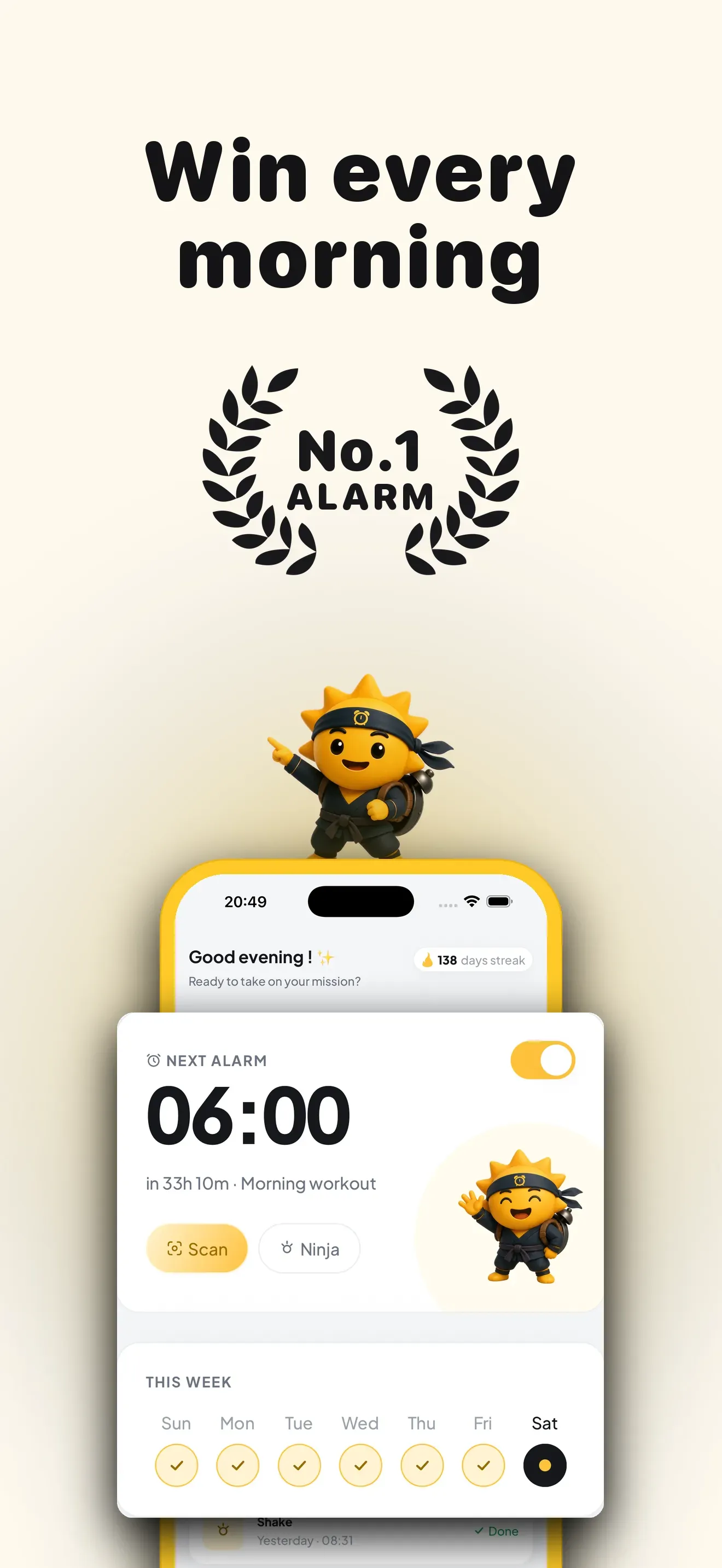
Risly is an iPhone alarm clock app designed for people who struggle to wake up. Unlike conventional alarm apps that can be easily snoozed or dismissed, Risly requires users to complete a physical or mental task before the alarm stops. The app positions itself as an anti-snooze solution for heavy sleepers, leveraging Apple's AlarmKit to ring through silent mode, Focus, and Do Not Disturb. It offers four mission types: scanning an everyday object with the camera, solving math problems, shaking the phone, or doing push-ups counted by the camera. The app also includes streak tracking and a progression system with seven grades, from Apprentice to Legend. Risly is available on iOS 26+ with a three-day free trial followed by an annual subscription.
Key Features
Mission-Based Alarm Deactivation – The core feature of Risly is that the alarm cannot be turned off until a mission is completed. Users choose from four missions: Scan (photograph a specific object like a toothbrush or coffee machine), Math (solve chained arithmetic problems), Shake (vigorously shake the phone for a set duration), or Push-ups (the camera counts repetitions). Each mission is designed to force the user out of a sleep state, whether by getting out of bed, engaging the brain, or performing physical activity.
Unstoppable Alarm – Risly uses Apple's AlarmKit to ensure the alarm fires even when the iPhone is in silent mode, Focus mode, Do Not Disturb, or locked. The app also prevents force-quitting from stopping the alarm; only completing the mission silences it. There is no snooze button anywhere in the app, removing the temptation to delay waking up.
Streak Tracking and Grade Progression – The app tracks consecutive days of successful wake-ups and assigns users a grade based on their streak length. The seven grades are Apprentice, Awakening, Blade, Shadow, Sentinel, Master, and Legend. This gamification element provides motivation to maintain consistency and rewards users for building a morning routine.
Insights Dashboard – Risly displays key metrics such as current streak length, average wake-up time, time taken to silence the alarm, and favorite mission type. These insights help users monitor their progress and identify patterns in their waking behavior.
Multi-Language Support – The app is available in 18 languages, including English, French, German, Spanish, Italian, Portuguese, Dutch, Danish, Swedish, Polish, Russian, Turkish, Arabic, Hindi, Thai, Japanese, Korean, and Chinese. This broad language support makes the app accessible to a global audience.
Privacy-First Design – Camera-based missions (Scan and Push-ups) process images entirely on the device. The app does not upload or store camera images on external servers, ensuring user privacy.
How It Works
After downloading Risly from the App Store, users start a three-day free trial. The setup process involves selecting a wake-up time and choosing a mission type. The app then schedules the alarm using iOS's native alarm infrastructure. When the alarm goes off, it rings loudly regardless of the phone's silent switch or Focus settings. The user must complete the chosen mission to stop the alarm. For example, if the Scan mission is selected, the user must get up, find the designated object (e.g., a coffee machine), and photograph it. The app verifies the object using on-device computer vision. Once the mission is completed, the alarm stops and the user is greeted with a celebration screen showing the time, a congratulatory message, and updated streak information. The app also logs the wake-up time and mission completion speed in the insights dashboard. Users can adjust their mission type and alarm time at any point before the next alarm rings.
Use Cases
Heavy Sleepers Who Habitually Snooze – A person who regularly sets multiple alarms and sleeps through them can use Risly's Scan mission to force themselves out of bed to photograph a bathroom object. This breaks the cycle of hitting snooze and leads to a more consistent wake-up time.
Students Needing Early Study Sessions – A student preparing for exams can set a Math mission alarm for 5:00 AM. Solving arithmetic problems upon waking activates the prefrontal cortex, making it easier to transition into focused study immediately after getting up.
Fitness Enthusiasts Wanting Morning Workouts – Someone aiming to exercise before work can choose the Push-ups mission. The alarm only stops after completing a set number of push-ups, effectively starting the workout before the user is fully awake.
Remote Workers Struggling with Routine – A remote worker who lacks the external structure of a commute can use Risly to enforce a consistent wake-up time. The Shake mission provides a quick physical jolt that helps transition from sleep to work mode.
Travelers Across Time Zones – With support for 18 languages and reliance on iOS's native alarm system, Risly works reliably across different regions. A frequent traveler can maintain their wake-up routine without worrying about language barriers or alarm reliability.
Pricing & Value
Risly offers a three-day free trial, which is sufficient to test the core functionality and build an initial streak. After the trial, the app requires an annual subscription. The exact pricing is not disclosed on the website, but the subscription is described as simple and cancellable at any time. Given that the app targets a specific pain point (chronic snoozing) and provides a unique, hardware-integrated solution, the value proposition is strong for users who have tried conventional alarms without success. The annual subscription model aligns with the app's goal of building long-term habits. However, the lack of a monthly option or lifetime purchase may be a barrier for users who prefer more flexible pricing.
Final Verdict
Risly effectively addresses the problem of oversleeping by removing the snooze button entirely and requiring physical or mental effort to silence the alarm. The mission variety, streak system, and insights dashboard provide a comprehensive framework for building better morning habits. The app's use of Apple's AlarmKit ensures reliability, and the on-device processing of camera data addresses privacy concerns. Potential drawbacks include the iOS 26 requirement, which limits the user base to those with recent devices, and the absence of a monthly subscription tier. Additionally, users who occasionally need to sleep in (e.g., on weekends) must remember to disable the alarm the night before, as there is no way to stop it once it rings. Overall, Risly is a well-designed tool for heavy sleepers who are serious about changing their morning routine. For more details, explore the missions page or read the FAQ. To understand the science behind the anti-snooze approach, visit the anti-snooze page.
Pros & Cons
The Good
- Alarm rings through silent mode, Focus, and Do Not Disturb, ensuring heavy sleepers cannot accidentally miss it.
- Four distinct mission types (Scan, Math, Shake, Push-ups) cater to different waking preferences and difficulty levels.
- Streak tracking with seven graded progression tiers gamifies the habit of waking up on time.
- On-device camera processing for Scan and Push-ups missions protects user privacy by never uploading images.
- Available in 18 languages, making it accessible to a global audience of heavy sleepers.
The Bad
- Requires iOS 26 or later, excluding users with older iPhones from using the app.
- No monthly subscription option is offered; only an annual plan is available after the trial.
- Users cannot stop the alarm once it rings except by completing the mission, which may be problematic on rare occasions when sleeping in is necessary.