DueDrop
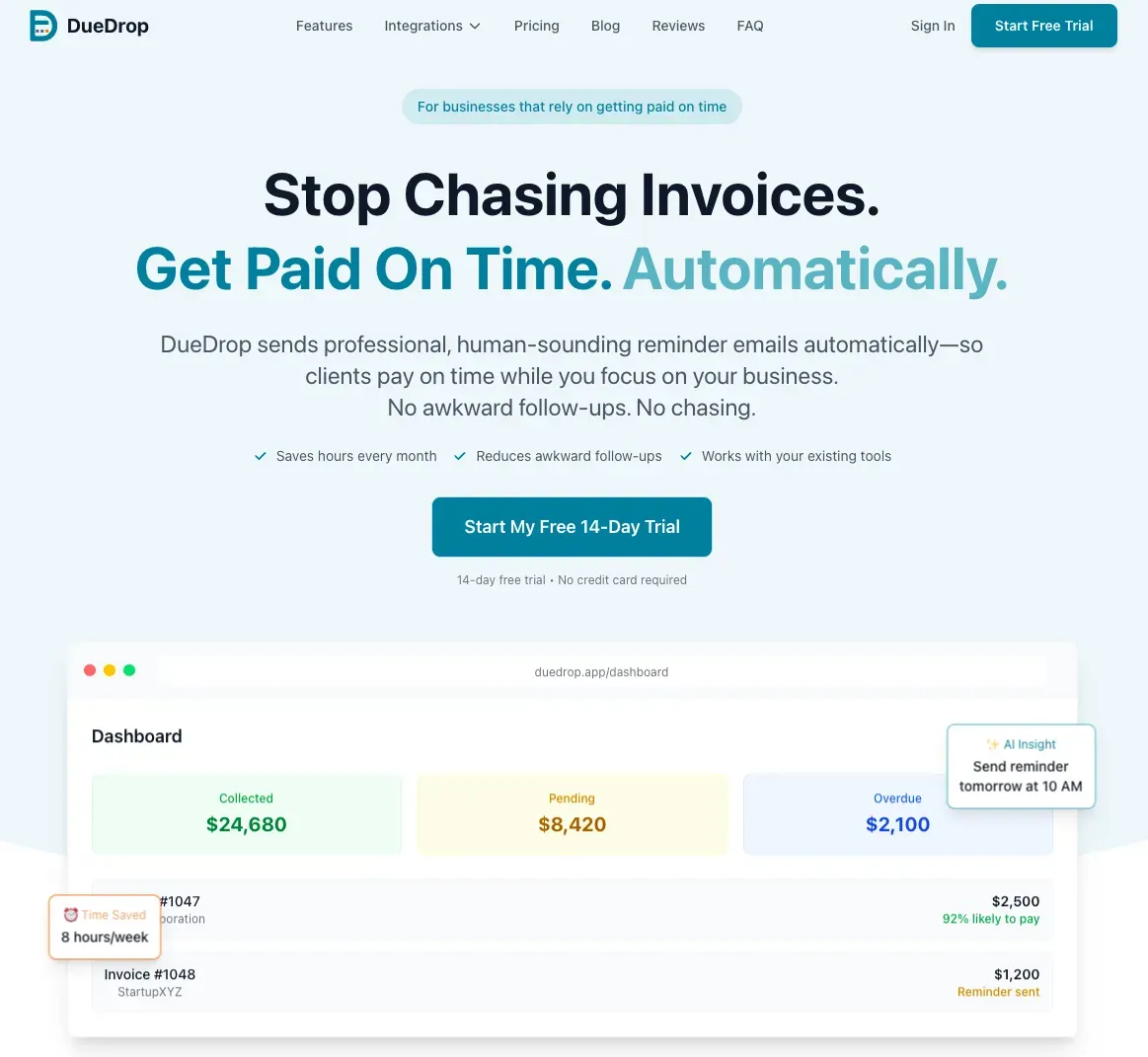
DueDrop automates personalized invoice reminders sent from your own inbox, helping service businesses get paid faster without damaging client relationships.
Overview
DueDrop is an automated invoice reminder platform designed for service businesses that use accounting software like QuickBooks, Xero, FreshBooks, or Wave. The core problem it solves is the awkward, time-consuming task of chasing overdue payments. Instead of manually drafting follow-up emails or relying on impersonal automated systems, DueDrop watches for overdue invoices, drafts reminders that match the user's tone by analyzing past email threads, and sends them from the user's real Gmail, Outlook, Yahoo, or Zoho Mail account. The result is a friendly, personal nudge that clients perceive as a genuine message from the sender, not a billing bot. DueDrop is built for freelancers, agencies, consultants, and any small to mid-size service business that wants to improve cash flow without damaging client relationships.
Key Features
- AI Tone Matching from Past Emails: DueDrop reads prior email threads with each client to learn the user's natural communication style. It then drafts reminders that match that tone, whether casual or formal. This ensures the message feels personal and authentic, not generic or robotic.
- Sends from Your Real Inbox: Reminders are sent through the user's actual email provider (Gmail, Outlook, Yahoo, or Zoho Mail) using OAuth authentication. There is no "sent via" footer, no tracking pixels, and no branded chrome. To the recipient, the email is indistinguishable from one the user typed themselves because it is sent from their real address with their signature.
- Automatic Cadence and Pause on Reply: Users set the reminder schedule (e.g., day 3, 14, 30 past due) and send windows (business hours only). DueDrop automatically queues and sends reminders. If a client replies to any reminder, DueDrop detects the reply and immediately pauses the cadence for that invoice, preventing further follow-ups until the user decides otherwise.
- Deep Accounting Integrations: DueDrop syncs with QuickBooks, Xero, FreshBooks, and Wave to read invoice status, due dates, and payment records. It only requires read-only access where possible, and users can revoke access at any time. The integration is OAuth-based, so no passwords are stored.
- Per-Client Customization: Users can set different cadences, tones, and exclusion rules for individual clients. For example, a long-term client might get a gentle nudge after 14 days, while a new client might receive a reminder after 7 days. Users can also exclude certain clients entirely from automated reminders.
- Audit Log and Draft Review: Every reminder is logged in an audit trail visible only to the user. Users can review drafts before they send or enable full auto-send for trusted clients. Any draft can be paused or edited with one click.
- Security and Data Privacy: DueDrop uses OAuth tokens only, never storing email passwords. All data is encrypted at rest and in transit. The company states that data is deleted upon cancellation, and users can revoke access in one click.
How It Works
The user starts by connecting their accounting software (QuickBooks, Xero, FreshBooks, or Wave) and their email provider (Gmail, Outlook, Yahoo, or Zoho Mail) via OAuth. This setup takes about five minutes. Once connected, DueDrop scans for overdue invoices based on the user's configured thresholds. It then reads past email threads with each client to understand the user's tone and drafts a personalized reminder. The draft is queued for a send window chosen by the user (e.g., Tuesday at 9:14 AM). When the time comes, DueDrop sends the email directly from the user's inbox. If the client replies, DueDrop automatically pauses the reminder sequence for that invoice. The user can monitor all activity through an audit log and can override any draft or cadence at any time. No further manual intervention is required after initial setup.
Use Cases
- A solo B2B SaaS founder who sends monthly invoices to 50 clients. DueDrop eliminates the need to manually track overdue payments and draft follow-ups, freeing up time for product development. The founder can set a gentle cadence and trust that reminders sound personal, preserving client relationships.
- A marketing agency with 20+ clients using QuickBooks. The agency owner can set different cadences for different clients: a 7-day reminder for new clients and a 14-day reminder for long-term partners. DueDrop's auto-pause on reply ensures that if a client says "payment is coming next week," no further reminders are sent.
- A freelance graphic designer who uses FreshBooks and Gmail. The designer can set up DueDrop once and never think about invoice follow-ups again. The AI tone matching ensures that reminders sound like the designer's natural voice, maintaining a friendly rapport with clients.
- A construction contractor using Wave for accounting. DueDrop helps the contractor avoid awkward conversations about late payments by automating polite reminders. The contractor can exclude certain clients (e.g., family members) from automated follow-ups.
Who It's For
DueDrop is built for small to mid-size service businesses, freelancers, agencies, consultants, and tradespeople (HVAC, plumbing, electrical, general contractors) who use QuickBooks, Xero, FreshBooks, or Wave. It is ideal for users who want to improve cash flow without spending time on manual follow-ups or risking client relationships with impersonal automated emails. Compared to alternatives like Chaser or Invoice2go, DueDrop differentiates itself by sending from the user's real inbox with AI tone matching, making reminders feel personal. The product is priced at $29/month (introductory) with a 14-day free trial and no credit card required. It is not designed for large enterprises with complex billing workflows or for businesses that do not use one of the supported accounting platforms.
Pros & Cons
The Good
- Sends reminders from the user's real email address, making them indistinguishable from personal messages.
- AI tone matching analyzes past email threads to draft reminders that sound like the user.
- Automatically pauses the reminder cadence when a client replies, preventing over-follow-up.
- Integrates with major accounting platforms (QuickBooks, Xero, FreshBooks, Wave) and email providers (Gmail, Outlook, Yahoo, Zoho Mail).
- Flat $29/month introductory pricing with a 14-day free trial and no credit card required.
The Bad
- Limited to businesses using supported accounting software; no native integration for other platforms like Sage or Zoho Books.
- AI tone matching may occasionally produce drafts that require manual review, especially for nuanced communication styles.
- No mobile app mentioned; the service appears to be web-only, which may limit on-the-go management.