Audax Data Manager
Audax Data Manager is a modern open-source SQL editor and database admin tool for PostgreSQL, MySQL, SQLite, and more.
Overview
Audax Data Manager, formerly known as PgManage, is a modern, open-source SQL editor and graphical database administration tool developed by CommandPrompt Inc. It positions itself as a privacy-first, cross-platform client for developers and database administrators who need to manage multiple database systems without the overhead of telemetry or data collection. The tool supports PostgreSQL, MySQL, MariaDB, SQL Server, Oracle, and SQLite3, making it a versatile choice for teams working across different database environments. In a market dominated by tools like DBeaver, TablePlus, and DataGrip, Audax Data Manager differentiates itself through its focus on simplicity, keyboard navigation, and a clean interface that stays out of the user's way. The product is available in two editions: a free Community edition that works offline and a paid Enterprise edition that adds remote web access, multi-user support, OAuth2 authentication, and cloud deployment options. This review examines the tool's features, usability, and value proposition based on the official website and available documentation.
Key Features
Multi-Database Support
Audax Data Manager supports six major database systems: PostgreSQL, MySQL, MariaDB, SQL Server, Oracle, and SQLite3. This broad compatibility allows users to manage heterogeneous database environments from a single interface, reducing the need to switch between multiple tools. The connection management system supports SSH tunnels for secure remote access, and credentials are stored in encrypted form.
Modern and Intuitive Interface
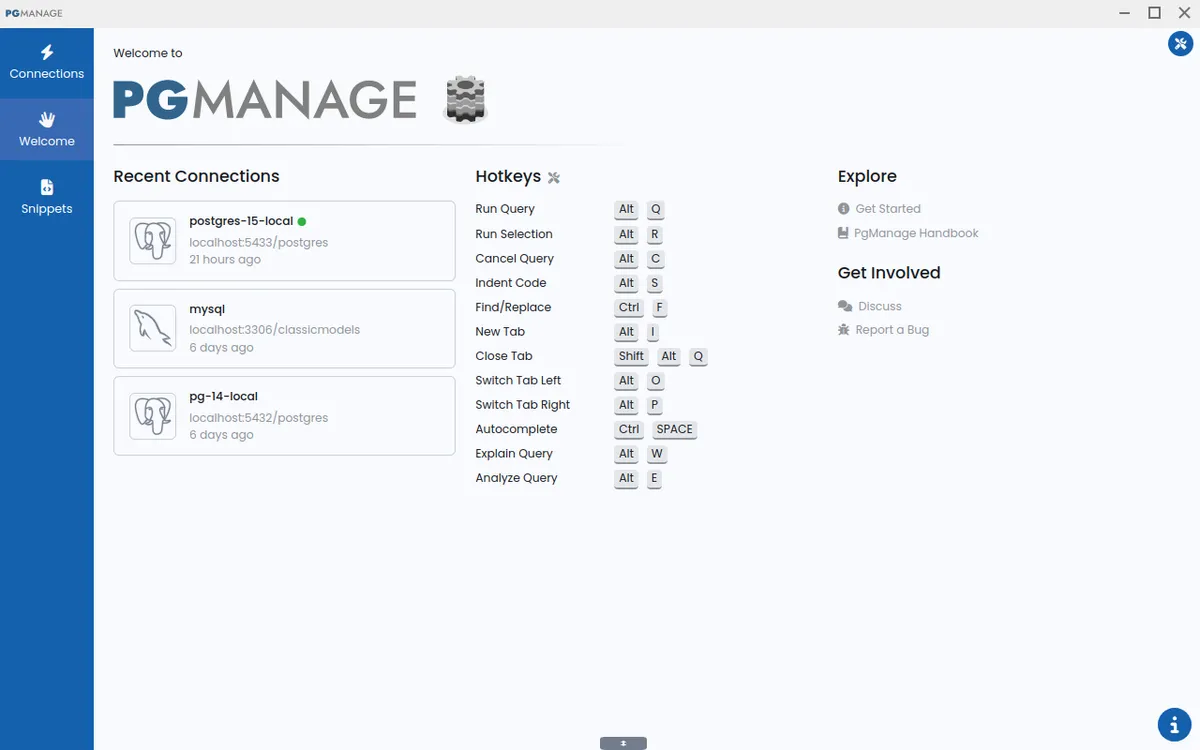
The interface is designed to be clean and unobtrusive, with switchable themes and UI scaling options. Users can work with multiple database workspaces simultaneously, each in its own tab. The layout prioritizes screen real estate, and the tool supports full-screen mode for data editor and ERD tabs. Keyboard navigation is extensive, with hotkeys for core features and the ability to navigate the database explorer using Page-Up, Page-Down, Home, End, and arrow keys.
Smart SQL Editor
The SQL editor provides schema- and context-aware autocompletion for tables, views, columns, aliases, and functions as the user types. Query error annotations are placed exactly where the problem occurs, making debugging faster. The editor also supports copying table data as Markdown, JSON, or CSV, which is useful for documentation and data sharing.
Data Editor with Spreadsheet-Like Interface
The data editor allows users to edit database records in a familiar spreadsheet-like grid. It supports copy and paste of cell regions, inline editing, and a dedicated modal window for editing cells with lengthy or complex content. The grid also supports keyboard shortcuts for copy, paste, and clear actions.
Database Administration Tools
Beyond querying, Audax Data Manager includes tools for viewing database performance metrics, running backups, managing roles and extensions, and tuning PostgreSQL server parameters. The schema editor supports renaming indexes and updating column comments across multiple database types. ERD diagrams can be generated to visualize database relationships.
Privacy and Security
The application is privacy-first: it collects no telemetry or usage data. Credentials are stored encrypted, and the Community edition works entirely offline. This makes it suitable for organizations with strict data security requirements.
Enterprise Features
The Enterprise edition adds remote access via web browser, multi-user support, OAuth2 authentication, and deployment options on AWS and Docker. This allows teams to use the tool as a centralized database management platform accessible from anywhere.
How It Works
Getting started with Audax Data Manager is straightforward. Users download the appropriate installer for their operating system (Linux AppImage, Windows executable, or macOS DMG) from the downloads page. After installation, the first step is to create a database connection by specifying the database type, host, port, credentials, and optionally an SSH tunnel. The connection details are saved locally in encrypted form.
Once connected, the main interface presents a database explorer on the left, showing all schemas, tables, views, and other objects. Users can browse objects, view their properties, or open a SQL editor tab to write queries. The editor provides autocompletion and syntax highlighting. Queries can be executed with a single click or keyboard shortcut, and results appear in a grid below. Users can then edit data directly in the grid, copy results as Markdown/JSON/CSV, or export them.
For administrative tasks, users can access backup and restore functions, manage roles and extensions, or view performance metrics. The schema editor allows visual modification of table structures. Multiple workspaces can be opened simultaneously, each with its own set of tabs. The tool also includes a query history feature that preserves command order without deduplication.
Use Cases
Database Administration for Small to Medium Teams
A team of developers managing a PostgreSQL and MySQL environment can use Audax Data Manager to perform daily tasks like querying, schema changes, and backups. The multi-workspace support allows each developer to work on different databases simultaneously, while the SSH tunnel feature ensures secure connections to cloud-hosted databases.
Data Analysis and Reporting
Analysts who need to extract data from multiple database systems can use the SQL editor to write complex queries and export results as CSV or JSON for further processing in tools like Excel or Python. The ability to copy table data as Markdown is useful for embedding query results in documentation or reports.
Educational Environments
Instructors teaching database courses can use the tool to demonstrate SQL queries across different database systems. The offline capability of the Community edition means students can install it on their own machines without needing an internet connection. The ERD diagram feature helps visualize database schemas during lessons.
Enterprise Database Management
Organizations that require centralized database access control can deploy the Enterprise edition on AWS or Docker. Multi-user support with OAuth2 authentication allows administrators to grant role-based access to team members, while the web-based interface enables remote work without installing client software.
Migration Projects
When migrating from one database system to another, developers can use Audax Data Manager to connect to both source and target databases simultaneously, compare schemas, and test queries before executing them on the target system.
Pricing & Value
Audax Data Manager offers two editions. The Community edition is free and open-source, licensed under a permissive license. It includes all core features and works offline, making it suitable for individual developers and small teams. The Enterprise edition requires a paid license, which can be obtained by contacting sales. Enterprise features include remote web access, multi-user support, OAuth2 authentication, and deployment on AWS and Docker. The pricing is not publicly listed on the website, but interested users can purchase an Enterprise license by emailing the sales team. For organizations that need centralized management and remote access, the Enterprise edition likely offers good value compared to per-seat pricing of competitors like DataGrip or TablePlus. The Community edition provides excellent value for individual users who want a free, open-source alternative to paid tools.
Final Verdict
Audax Data Manager is a solid, privacy-focused database client that covers a wide range of database systems. Its clean interface, smart autocompletion, and extensive keyboard navigation make it a pleasure to use for developers who prefer keyboard-driven workflows. The Community edition is generous in features and works offline, which is a strong differentiator. The Enterprise edition adds valuable collaboration features for teams. However, the tool lacks some advanced features found in competitors, such as built-in version control integration or advanced data visualization. The pricing for the Enterprise edition is not transparent, which may deter some potential buyers. Overall, Audax Data Manager is a strong choice for developers and DBAs who value privacy, simplicity, and multi-database support. It is particularly well-suited for PostgreSQL users, given its origins as PgManage, but works equally well with other databases.
Pros & Cons
The Good
- Supports six major database systems including PostgreSQL, MySQL, MariaDB, SQL Server, Oracle, and SQLite3 from a single interface.
- Privacy-first design with no telemetry, encrypted credential storage, and full offline capability in the Community edition.
- Smart SQL editor provides schema-aware autocompletion and precise error annotations for faster query development.
- Extensive keyboard navigation and hotkey support for power users, including full-screen mode for data editor and ERD tabs.
- Free and open-source Community edition includes all core features, making it accessible to individual developers and small teams.
The Bad
- Enterprise pricing is not publicly listed, requiring users to contact sales for cost information.
- Lacks advanced features like built-in version control integration or sophisticated data visualization tools found in some competitors.
- The tool's PostgreSQL heritage means some features may be more polished for Postgres than for other supported databases.