AI Comic Maker
AI Comic Maker lets anyone create webtoons, manga, and comics with consistent characters and speech bubbles, no drawing skills needed.
Overview
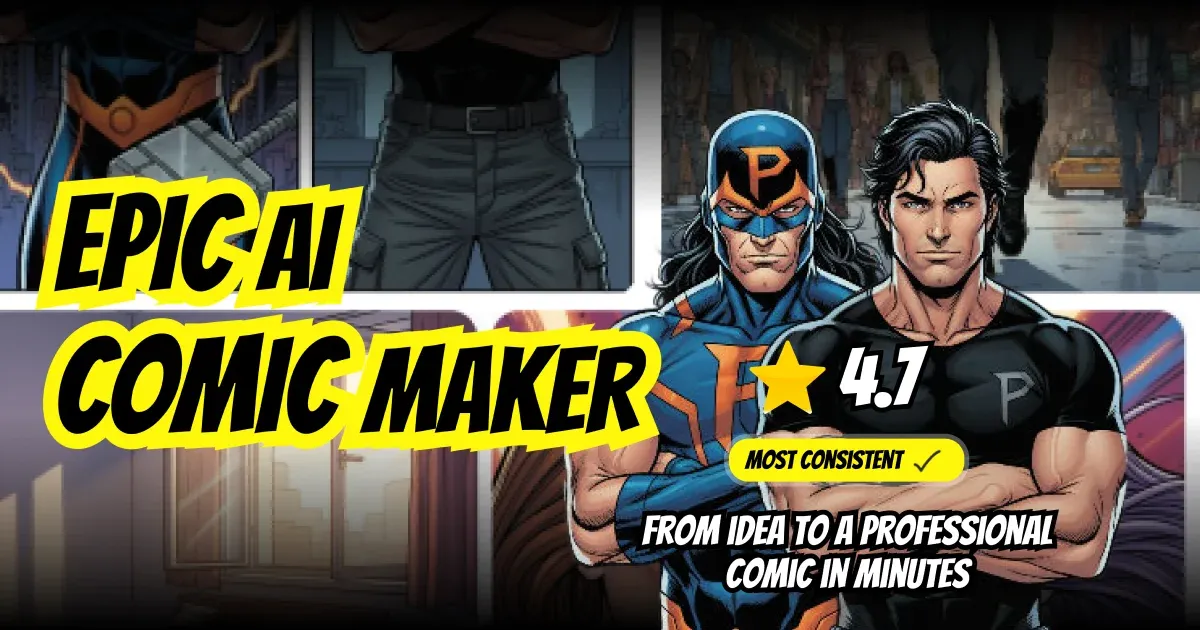
AI Comic Maker is an AI-powered mobile application that enables users to create webtoons, manga, and comic strips without any drawing skills. The app addresses the barrier of artistic ability by generating artwork from text prompts, allowing anyone to bring their stories to life. It targets aspiring comic creators, storytellers, and hobbyists who want to produce professional-looking comics quickly. The app is available on iOS and offers a freemium model with in-app purchases for additional credits.
Key Features
- Consistent Characters: Users can create characters once and reuse them across panels. The AI maintains their appearance, outfit, and proportions throughout the comic, ensuring visual consistency.
- Advanced Speech Bubble Editor: The app includes a built-in bubble editor with multiple styles such as speech bubbles, thought clouds, shout bubbles, and narration boxes. Users can tap to add a bubble, type dialogue, and drag it into position.
- Multiple Art Styles: A wide range of art styles is available, including manga, webtoon, western comic, cartoon, retro, and modern. Users can select a style before generating each panel to match the desired look.
- Camera Angle Control: Users can choose from various camera angles to create dynamic and engaging panels. The app guides users through the process to achieve cinematic effects.
- Export and Sharing: Comics can be exported as high-resolution images or shared directly to social media. The app supports single-panel and full-page exports.
- Character Creator: A dedicated tool allows users to design characters with specific traits, which are then consistently rendered by the AI across all panels.
- Free Tools: The app includes free tools like a Rage Comic Maker for quick meme-style creations.
How It Works
Users start by downloading the free app from the iOS App Store. After launching, they can immediately begin creating by entering a text prompt describing a scene or character. The AI generates artwork based on the prompt and selected art style. Users can then add speech bubbles using the editor, choose camera angles, and arrange panels into a sequence. Characters created once can be saved and reused in subsequent panels, ensuring consistency. The app provides a guided workflow for panel layout and story progression. Completed comics can be exported as images or shared directly to social media platforms.
Use Cases
- Aspiring Manga Artists: A user who wants to create a manga series but lacks drawing skills can use AI Comic Maker to generate consistent characters and panels, focusing on storytelling rather than art.
- Social Media Content Creators: An influencer looking to produce engaging comic strips for Instagram or Twitter can quickly generate humorous or narrative content using the app's speech bubble editor and export features.
- Educators and Storytellers: Teachers can create custom comics for classroom materials, such as historical narratives or science explanations, using the consistent character and style options.
- Hobbyists and Fans: Fans of webtoons or comics can create fan art or original stories without needing artistic talent, using the app's wide range of styles and camera angles.
Who It's For
AI Comic Maker is designed for individuals with no prior drawing experience who want to create comics, webtoons, or manga. It is ideal for hobbyists, content creators, educators, and storytellers. The app competes with other AI comic tools like ComicAI and DreamStudio, but differentiates itself through its focus on character consistency and a dedicated speech bubble editor. It is best suited for casual creators rather than professional artists, as the AI-generated art may lack the nuance of hand-drawn work. The freemium model makes it accessible for beginners, while in-app purchases provide additional credits for heavy users.
Pros & Cons
The Good
- Creates consistent characters across panels using AI.
- Offers a built-in speech bubble editor with multiple styles.
- Supports a wide variety of art styles including manga and webtoon.
- Provides camera angle controls for dynamic panel composition.
- Free to download with no drawing skills required.
The Bad
- Only available on iOS, limiting access for Android users.
- Some features require in-app purchases for credits.
- AI-generated art may lack the nuance of hand-drawn illustrations.